Avoid Radix-Operated Domains: I Got Suspended for a Name Namecheap Itself Suggested
I recently had a domain suspended by Radix — the registry behind a long list of new gTLDs like .store, .online, .tech, and .site. The catch? The domain name was suggested to me by Namecheap’s own search UI when I was looking for an available name. Yet according to Radix, that exact same name violated their Acceptable Use Policy because it looked “algorithm-generated.”
I’m writing this so other developers and small business owners don’t get burned the same way. Both companies behaved, in my experience, like a scam: one sells you the name, the other kills it, and neither will help you.
What happened
I registered a domain through Namecheap. I didn’t make the name up — I picked it from the suggestions their search interface served up when my first choice wasn’t available. Payment went through, DNS was configured, I set up Resend for transactional email, and things had been working for a while.
Then, with no warning, the domain went dark. DNS stopped resolving. Outgoing email broke. WHOIS showed the domain had been placed on hold — not by Namecheap, but by Radix at the registry level.
The support runaround
Namecheap’s response, paraphrased: not our problem, contact the registry.
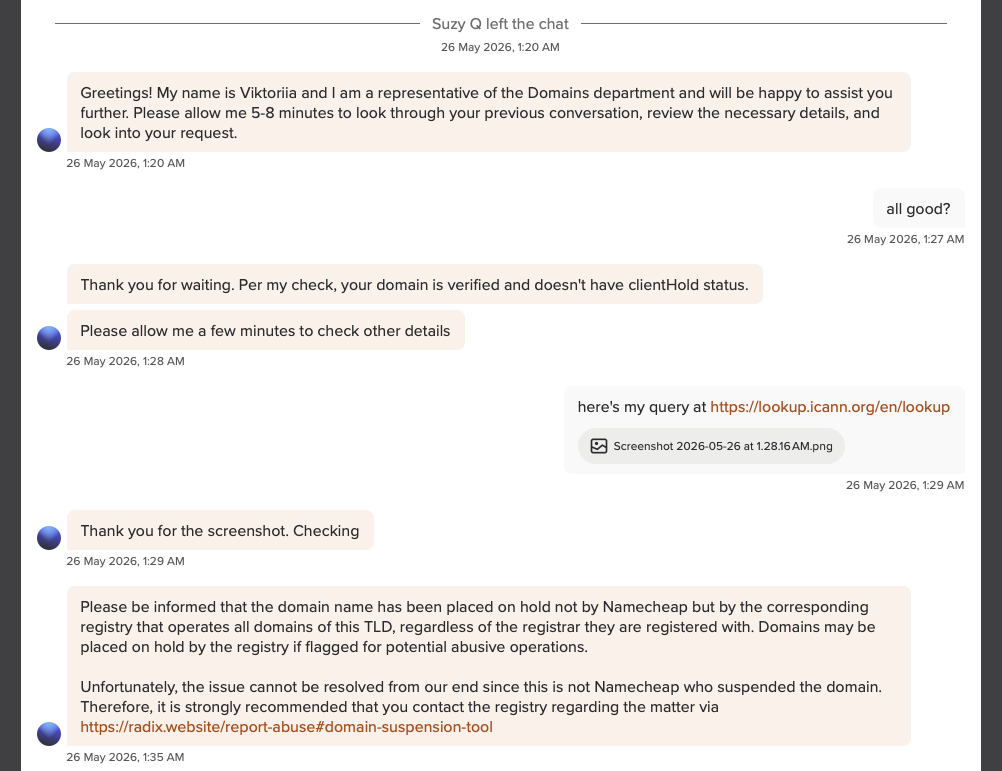
Radix’s response landed in my inbox almost the instant I hit send — far faster than any human reviewer could have read the request, let alone “analyzed” anything. It was clearly a bot reply. Their canned verdict: my name showed “abusive trends” as part of a “pattern-based registration” — even though I had registered exactly one domain, the one Namecheap recommended to me.
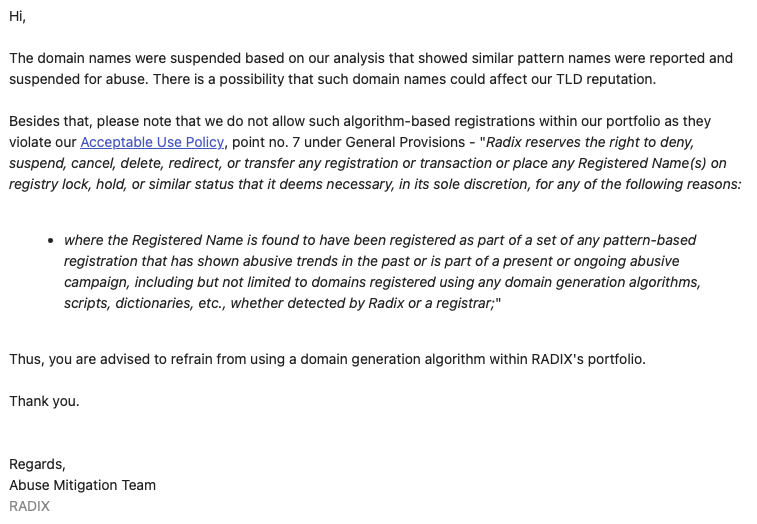
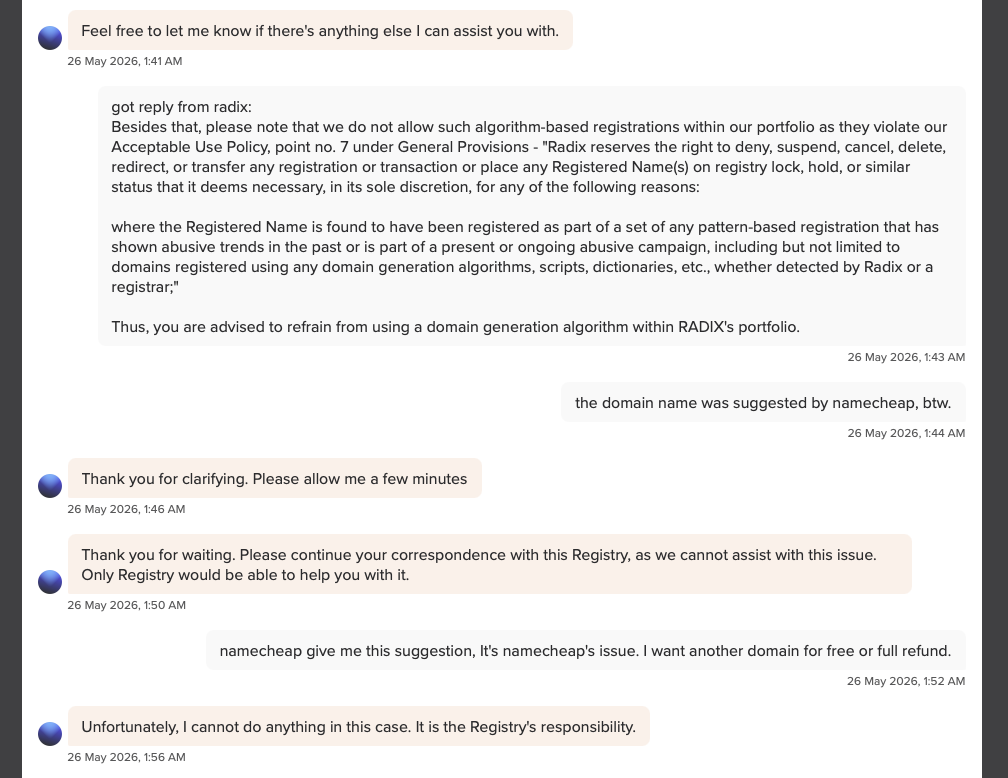
When I pointed out that the name came from Namecheap’s own UI, Radix’s reply was that I should refrain from using a “domain generation algorithm” within their portfolio. The “domain generation algorithm” in question was Namecheap’s own suggestion engine.
When I went back to Namecheap to ask for a refund or a free replacement — given that they sold me a name the registry then killed — the answer was that they cannot do anything. Registry’s responsibility.
So the loop closes like this:
- Namecheap suggests the name.
- Namecheap takes the payment.
- Radix kills the name without warning.
- Namecheap won’t refund.
- Radix won’t reinstate.
- The user eats the loss.
Whatever you want to call that, it isn’t a working consumer product. It’s a setup where two companies pass liability between them while the customer holds the bag.
Not just me
After this happened I went looking and found I’m far from the only one. See, for example, this r/Domains thread describing the same pattern: a personal-use domain, permanently suspended by the registry, with the registrar unwilling to help. The “algorithm-generated” justification appears to be a recurring template.
TLDs to avoid
Radix operates the following TLDs. If you’re picking a domain for anything you actually depend on — a product, a side project, a business, a mail-sending domain — I’d steer clear of all of them:
Stick with .com, .net, .org, or a country-code TLD from a registry you trust. The few dollars saved on a discounted “premium-looking” alternative are not worth waking up to a dead domain and a support chat that ends in “contact the registry.”
If this happens to you
- Check WHOIS first. The hold field will tell you whether your registrar or the registry placed it. If it’s the registry, your registrar likely cannot help — and will tell you so.
- Contact the registry directly. Radix has an abuse / suspension reporting page. Document everything in writing.
- Save your evidence. Screenshot the registrar’s original suggestion of the name, the payment receipt, and the full support transcripts from both sides.
- Consider a chargeback. If the registrar sold you a domain that was killed at the registry within days and refuses to refund, your card issuer may treat that as a service-not-rendered dispute.
- Move quickly on a replacement. If you had email or auth flows on the suspended domain, every hour the DNS stays dark is more bounces and broken sessions.
I’m out a registration fee and a weekend reconfiguring things on a new (.com) domain. Hoping this post saves someone else the same headache.